SiteLens Reports
Open a local report
SiteLens Reports packages browser automation evidence into structured, portable reports. Choose a file below — validation and rendering run entirely in your browser. Report contents are not uploaded to SiteLens.
Drag and drop a report here
Accepted: report.json or a portable SiteLens report .zip. Files stay on this device.
ZIP limits: 2,000 entries · 200 MB uncompressed · path traversal rejected
What a report looks like
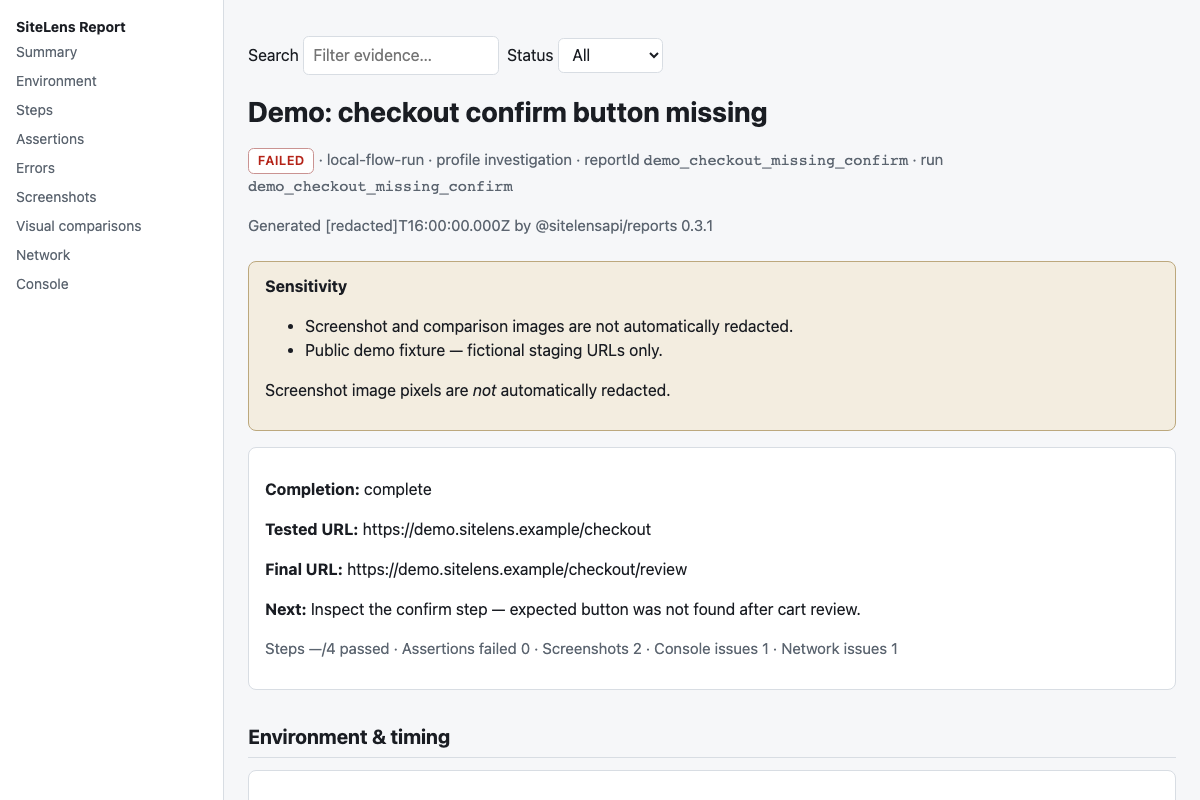
The sample is a redacted checkout-failure demo — steps, assertions, screenshots, and a visual comparison. Use Open sample report to load it through the same validator as your own files.
Create a report
After a SiteLens run writes evidence under a run directory, generate formats or export a portable ZIP with the CLI from @sitelensapi/mcp:
sitelens report generate --from <run-directory> --format html
sitelens report export --from <run-directory> --out report.zip
Artifact-exporting runs also write report.json and manifest.json automatically. Open either report.json or the exported ZIP here — still on your device.